Victorian Coloring Book
Art Coloring GroupBoard
4.7135.00 Reviews
- Version
- 1.0.7
- Installs
- 100.00K
- Age Rating
- Everyone
Screenshots
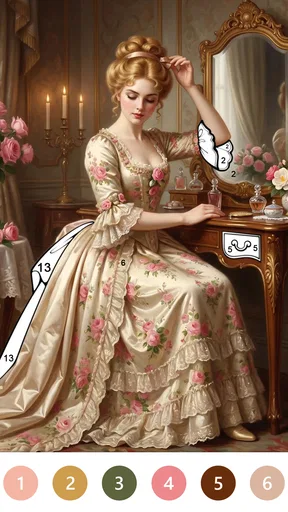
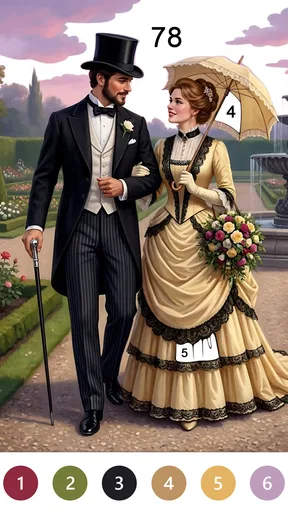
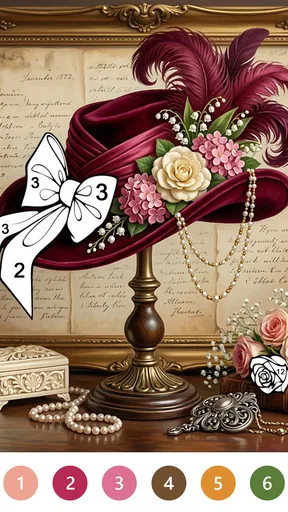
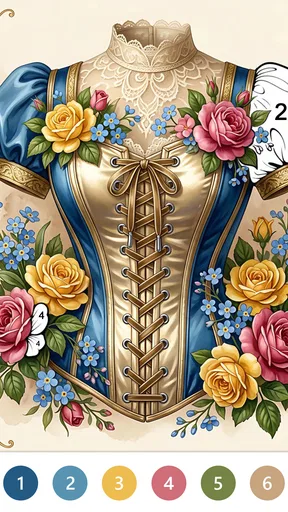
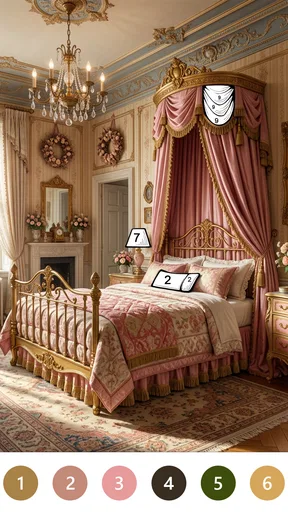
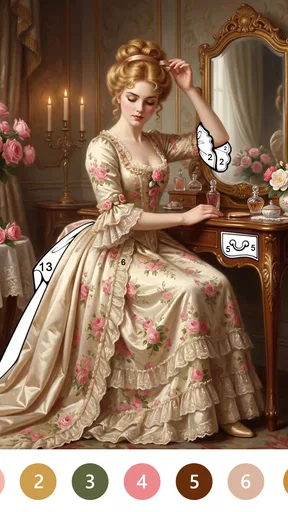
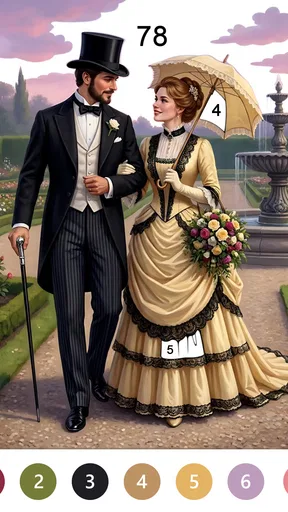
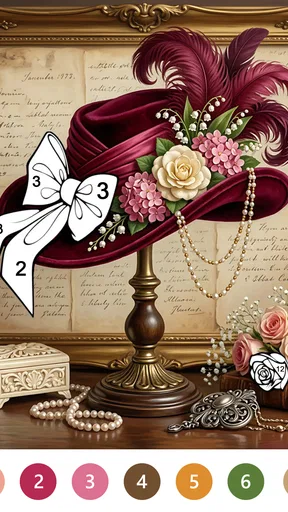
Our Review of Victorian Coloring Book
 Analysis by Appyee
Victorian Coloring Book is the kind of board game I open when I want something quiet rather than competitive. Instead of asking me to plan moves, beat an opponent, or react quickly, it gives me a calmer task: filling elegant Victorian-style artwork by number. The experience is built around attention and repetition, so the reward comes from watching a detailed image gradually become complete.
That makes it an easy recommendation for a first-time user who wants a gentle creative break. I found the basic idea immediately understandable, even if the finished pictures require more patience than a quick coloring session might suggest. The game is free to start, is suitable for Everyone, and comes from Art Coloring Group. Its average rating is 4.7 from around 1.2K ratings, with over 100K installs, so it has already attracted a noticeable audience without feeling like a loud, social game.
My main advice is to approach it as a relaxing coloring activity, not as a conventional puzzle board game. The category label makes sense because it is a structured, interactive pastime, but the mood is much closer to digital coloring than to chess, cards, or a traditional tabletop challenge. If that distinction sounds appealing, the path from installation to a satisfying first result is straightforward.
What to expect from the Victorian coloring format
The central appeal is the artwork style. Victorian subjects tend to depend on decorative lines, ornamental shapes, and small visual details, and that changes the pace compared with a simple children’s coloring page. I do not rush through these images. I scan the available areas, choose a number, and let the picture develop in stages. The pleasure is in the gradual transformation from an unfinished outline into something that feels composed.
The number system also gives the activity a little more direction than freehand coloring. I am not deciding every color from scratch, so there is less pressure to create a perfect palette. At the same time, I still have to search the image and match the numbered areas. That balance works well when I want to stay occupied without making many creative decisions after a long day.
One useful way to think about the game is as a focus aid. I can give it a short window while waiting for an appointment, or spend longer with one illustration when I want to settle down in the evening. The task has a clear endpoint, which is helpful for people who enjoy visible progress. Completing a picture feels more definite than endlessly scrolling through short videos.
It is not the best fit for someone looking for competition, story progression, strategic depth, or a strong sense of surprise. There is no reason to install it expecting the tension of a board-game match. It is also a poor choice if I want unrestricted artistic control, because coloring by number deliberately narrows the creative decision-making. For me, that limitation is part of the relaxation, but another player may find it too controlled.
Why the visual style changes the pace
Detailed vintage art can look impressive before I even begin, but detail also creates friction. Tiny sections take longer to locate, especially when several parts of the composition use similar shades or sit close together. I have learned not to judge a picture by its first few easy areas. The opening minutes can feel simple, while the final portion asks for more careful searching.
That is where the app differs from very basic coloring alternatives. A simpler coloring book may deliver a finished-looking result faster, while this one is more satisfying for someone who likes the process of uncovering small details. The trade-off is clear: richer-looking artwork can mean slower completion and more visual concentration.
I also prefer working in short stages rather than trying to finish every image in one sitting. Completing a few numbered areas gives me a natural stopping point. When I return, the partially finished picture reminds me where I left off without requiring a complicated plan. That makes the game particularly suitable for a phone, where sessions are often interrupted.
Getting started without overthinking the first session
After installing the game, I would begin with one image that looks inviting rather than automatically choosing the most elaborate design. The first successful session is less about finishing quickly and more about learning the rhythm: identify a number, locate its spaces, fill them, and repeat. Once that pattern becomes familiar, the artwork feels much less intimidating.
The game is free, which removes the need to make an immediate purchase decision. There are in-app purchases ranging from $0.99 to $59.99 per item, so I would treat optional spending carefully and decide in advance whether I want a completely free experience or might later pay for convenience or additional content. I would not make a purchase simply because a detailed picture takes time; the slower pace is part of the design rather than proof that something is wrong.
Compatibility is also fairly broad. The listed minimum operating-system requirement is 7.1, so many older compatible devices may be able to run it. Even so, I would keep expectations sensible on a small or older phone: intricate artwork is easier to inspect on a larger display, and a cramped screen can make the search for tiny numbered sections feel more tiring.
The current version is 1.0.7. For a first-time user, that is useful context when checking whether the installed copy matches the current release shown in the app listing. I would also make sure the device has enough battery for a longer coloring session, not because the game demands constant attention, but because its calm pace makes it easy to keep going once I am absorbed in a picture.
The first meaningful success
My recommended first goal is not “finish the hardest artwork.” It is to complete a recognizable portion of one image and notice how the colors begin to define the composition. Pick one number that appears frequently, fill those spaces, and then switch to another number. This creates a visible before-and-after effect quickly and teaches the basic workflow without turning the opening session into a test.
A practical trick is to work from the largest or most obvious areas toward the smaller ones. Large sections help establish the image and reduce the amount of uncolored space. After that, the tiny decorative pieces are easier to interpret because I understand what part of the illustration I am looking at. Starting with the smallest details can make the whole picture seem more confusing than it really is.
I also find it helpful to pause after a few completed groups instead of constantly chasing the next number. Looking at the image as a whole can reveal areas I overlooked and keeps the activity from becoming a mechanical tapping exercise. The point is not merely to remove every blank space; it is to enjoy the visual change.
For a realistic everyday scenario, I might open it after commuting home, choose one illustration, and spend ten minutes completing a handful of sections before dinner. On a different day, I could use the same picture during a quiet break and continue from the last unfinished region. That flexibility is more valuable to me than a formal level system because it fits around ordinary interruptions.
Handling small details and visual confusion
The most common source of frustration is not understanding the numbers; it is finding where a number is hiding in a busy Victorian illustration. When I cannot see the next area, I avoid tapping randomly across the screen. Random tapping breaks the calm rhythm and can make me feel as though I am fighting the interface. Instead, I scan one part of the image at a time, moving from the outer decoration toward the central subject or reversing that order.
Another useful approach is to change the order of attention rather than the artwork. If one number seems difficult to locate, I move to a different number with clearer sections and return later. This keeps progress moving and prevents one stubborn cluster from defining the whole session. In a detailed picture, finishing several accessible areas can make the remaining spaces easier to recognize.
It is also worth remembering that a nearly complete image may be the slowest stage. The obvious sections disappear first, leaving isolated spaces tucked into borders, patterns, or small objects. I would save that final cleanup for a patient moment instead of assuming the app has stopped responding. The visual design naturally makes the last portion feel more exacting than the beginning.
These details are where this game compares differently with free-coloring apps. Free-coloring tools give me control over the brush and palette, but they also ask me to decide what belongs where. Here, the creative burden is lower, while the search burden is higher. I would choose this game when I want guided concentration; I would choose a freeform coloring app when I want to experiment with my own combinations.
Where the experience works best in daily life
The strongest use case is a short, low-pressure break. I can start without learning rules, remember the basic action immediately, and stop after a small amount of progress. That makes it more approachable than a strategy board game when my attention is tired. It is also less demanding than a competitive title because there is no opponent waiting for my response.
It can work well for adults who enjoy vintage decoration, people who like completing visual tasks, and anyone who finds repetitive hand-and-eye activity calming. The Everyone age rating also makes the presentation broadly accessible. I would still choose the artwork with the individual player in mind, since some people will prefer ornate historical styling while others may find it less lively than modern cartoon or fantasy themes.
The game may also suit a shared quiet moment, although I would not describe it as a multiplayer replacement. Two people could discuss a picture or take turns looking at the progress, but the activity itself is centered on the individual completing the artwork. If the main reason for choosing a board game is conversation, competition, or social interaction, a physical or online multiplayer alternative would be more appropriate.
For concentration, the app has an interesting middle ground. It offers enough visual searching to keep my mind occupied, but the number structure prevents me from having to invent a design. That can be helpful after work, during travel, or while taking a screen break from more intense games. The limitation is that extended sessions may become repetitive if I need constant novelty or changing objectives.
When another option is the better choice
I would skip this game if my priority is artistic freedom. A freehand coloring app, sketching tool, or blank canvas is better when I want to choose every color, alter the composition, or create something original from an empty page. Victorian Coloring Book is about completing an existing illustration, not building one from the ground up.
I would also look elsewhere if I want measurable challenge. The satisfaction here comes from completion and visual progress, not from mastering increasingly complex strategy. A traditional board game, logic puzzle, or competitive digital game will provide clearer wins and losses. This title is deliberately softer, so expecting it to deliver intense challenge would lead to disappointment.
There is a further trade-off for people who dislike optional purchases. Because individual in-app items can cost from $0.99 up to $59.99, I would review any purchase prompt carefully and keep spending within a personal limit. The free entry point is useful, but “free to install” does not mean every possible item is included without payment. That distinction matters most for families sharing a device or for anyone trying to keep mobile entertainment entirely free.
Finally, users with very small screens may prefer a less intricate coloring format. The Victorian look depends on decorative detail, and that detail is part of both the charm and the challenge. A larger display can make the experience more comfortable, while a compact phone may turn the final sections into a test of patience.
My practical verdict after settling into the workflow
What I like most is the clear relationship between action and result. I choose a number, find its spaces, and watch the illustration become more complete. That loop is simple enough for a first session but not entirely mindless, because the artwork asks me to pay attention. The vintage presentation gives the finished images more character than a collection of plain geometric pages would have.
What I like less is the possibility of visual fatigue. Searching for tiny areas can be relaxing in moderation and frustrating when I am already tired. I would not use it as an all-night game. My better routine is to stop when I begin tapping without looking carefully, then return later. The app rewards patience, but patience is easier to maintain in small sessions.
Art Coloring Group has chosen a focused concept rather than trying to combine coloring with unrelated systems. That focus is a strength for beginners: there is no complicated setup, no strategic rulebook, and no need to understand a story before enjoying the first image. It is also why experienced players seeking variety may eventually want something more active alongside it.
Before installing, I would ask myself one simple question: do I want guided relaxation or open-ended creation? If the answer is guided relaxation, this is a convincing free starting point. If I want to draw, compete, solve, or customize every visual choice, I would pick a different category instead. Knowing that distinction prevents most of the disappointment a new user might otherwise feel.
My final recommendation is to begin with a manageable illustration, complete one clearly visible group of numbered areas, and judge the experience by how the process feels rather than how quickly the image ends. Keep optional purchases deliberate, take breaks when the small details become tiring, and use the game as a quiet activity rather than a conventional board-game challenge. For that specific purpose, Victorian Coloring Book is a polished and approachable choice, especially for anyone who enjoys elegant vintage artwork and wants a calm path from an unfinished outline to a satisfying completed picture.
In short, I see it as a good companion for brief pauses, relaxed evenings, and people who prefer structure over a blank canvas. It will not replace a competitive board game or a full drawing application, but it does not need to. Its value is narrower and clearer: a guided coloring experience that turns detailed Victorian art into a patient, screen-sized activity.
Verdict
Strengths of Victorian Coloring Book
- Calming activity suitable for short breaks or longer creative sessions.
- Elegant Victorian artwork offers a distinctive alternative to generic coloring books.
- Works well for users who enjoy historical fashion and decorative details.
- Color choices can be adjusted freely for personalized finished illustrations.
- Suitable for beginners who prefer relaxing, low-pressure gameplay.
Limitations of Victorian Coloring Book
- Some illustrations may feel repetitive after extended use.
- Fine details can be challenging to color accurately on smaller screens.
- The Victorian theme may appeal less to users seeking modern designs.
- Creative options may feel limited compared with full drawing applications.
- Extended coloring sessions can become monotonous without additional activities.
Other Releases by Art Coloring Group
View All
Bible Color Paint By Number
Board4.8

Nostalgia Color by number game
Board4.4

Macabre Color Paint By Number
Board4.8

Black Color Paint By Number
Trivia4.8
Similar Picks in This Category
View All
Ludo King®
Gametion4.1

Ludo
Yarsa Games4.6

Tile Master® - Matching Game
Higgs Studio3.6

Checkers Online
CC Games4.6

Dominoes
Loop Games4.7

Chess
Chess Prince4.6
Frequently Asked Questions
What is Victorian Coloring Book?
Victorian Coloring Book is a relaxing digital coloring app inspired by the elegant visual style of the Victorian era. It typically features detailed illustrations such as ornate architecture, fashion, flowers, decorative objects, and historical scenes. Users can choose colors, fill sections, and create personalized artwork without needing traditional drawing skills. It is designed mainly for casual creativity, stress relief, and entertainment.
Is Victorian Coloring Book suitable for beginners and children?
The app can be accessible to beginners because most coloring is based on selecting a color and tapping or brushing over outlined areas. However, the detailed Victorian designs may be more comfortable for older children, teenagers, and adults than for very young users. Parents should also review the app’s age rating, advertising, in-app purchase options, and privacy information before allowing children to use it.
Does Victorian Coloring Book work offline?
Some basic coloring features may remain available without an internet connection, especially if the required pages have already been downloaded. Nevertheless, internet access may be needed for loading new artwork, synchronizing progress, displaying advertisements, restoring purchases, or using sharing features. Offline availability can vary by version and device, so it is best to open the app once online and check which content is accessible.
Are there advertisements or in-app purchases in Victorian Coloring Book?
Victorian Coloring Book may use advertisements or optional in-app purchases, depending on the version distributed through the Android or iOS store. Paid options can include additional coloring pages, premium palettes, ad removal, or special tools. Before downloading, users should check the store listing for current pricing and billing details. Reviewing these options is particularly important when the app is installed on a child’s device.
Can I save or share my finished Victorian coloring designs?
The app is generally intended to let users save completed coloring pages and share their creations through supported device features or social applications. Available options may include saving an image to the gallery, taking a screenshot, or using the system share menu. Some functions can require storage permissions or an internet connection. Check the permission prompts carefully and avoid granting access that is not necessary for your intended use.
Play our best games!


